BenQ MA270 External Monitor
BenQ MA270U
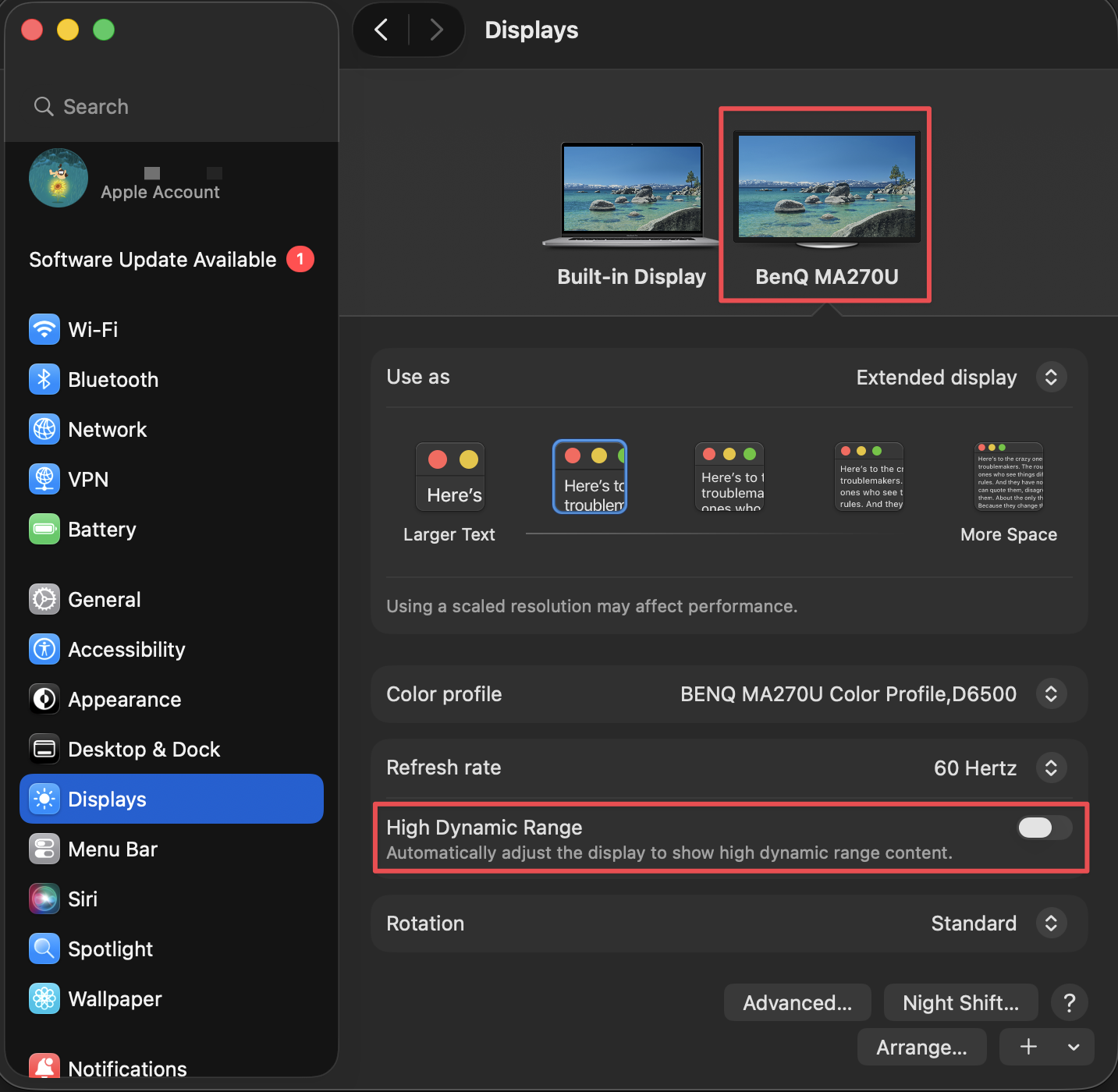
Q: Why the Brightness adjustment is greyed out?
A: Turn off HDR (High Dynamic Range) mode in your computer’s display settings. For Mac, go to System Preferences > Displays > Choose the BenQ monitor > toggle off “High Dynamic Range”.
Flux profile will enforce the color profile to BenQ. So quit Flux when you want to use the BenQ color profile. Otherwise, BenQ will look too yellow.
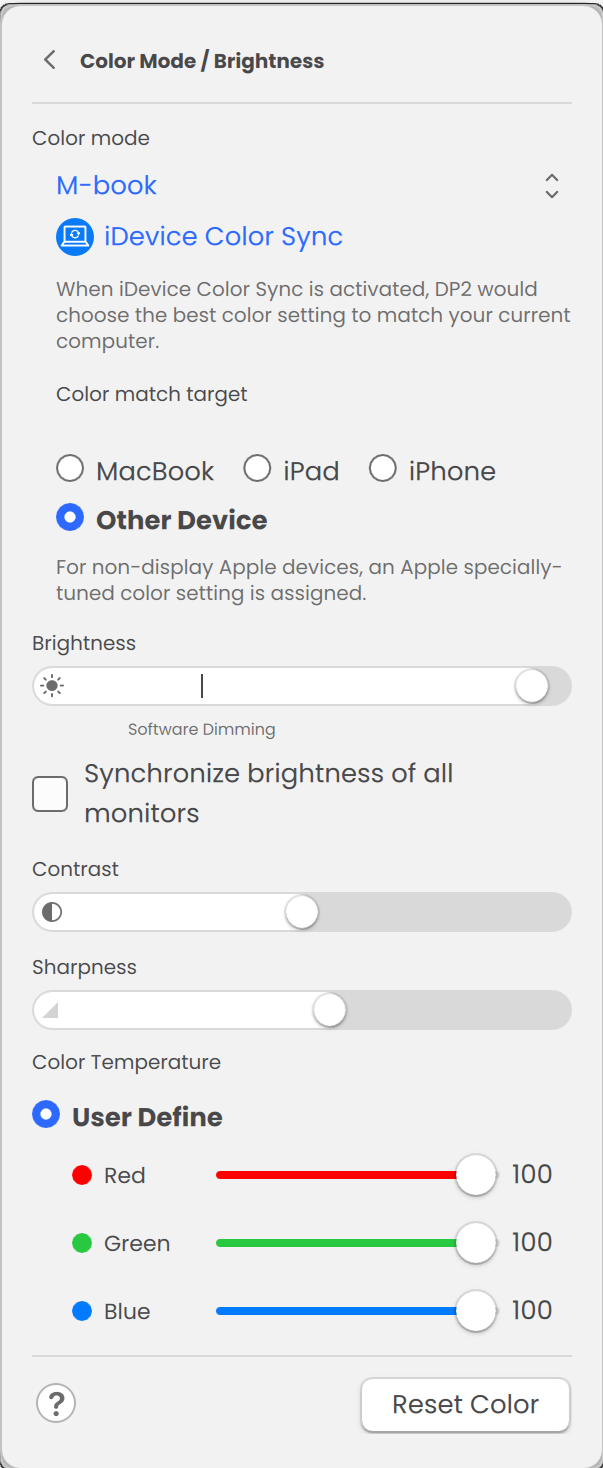
Color Mode
| Item | Description |
|---|---|
| M-book | Minimizes the visual differences between the monitor and the connected MacBook series product. |
| Display P3 | For better color matching representation with Standard Display P3. |
| sRGB | For better color matching representation with the peripheral devices, such as printers, digital cameras, etc. |
Customizing each Color Mode
For different color modes, you can further adjust the color settings for detailed color adjustment. The available options for each color mode may vary.
Color Temperature:
- 6500K: factory default color
- 9300K: Cool tint; PC industry standard white color
- 5000K: Warm tint; news print standard white color
-
User Define:
- Red: 0-100
- Green: 0-100
- Blue: 0-100
- User Define
If you reduce the Blue level the image will gradually take on a yellowish tint. If you reduce Green, the image will become a magenta tint.
For M-book mode, you can only use User Define to adjust the color temperature.
Click > to the right of Color mode, enter the options, where you can customize the color mode: