6.10 Extensions
6.10.1 Color Text
Create a filter to apply blue text color to fenced div.
- Created a minimal local color-text filter:
- Added
_quiz/_extensions/color-text/color-text.lua - It supports the
.blueclass for both blocks and inline spans:- HTML: adds
style="color: blue;" - PDF: wraps with LaTeX xcolor; automatically injects
\usepackage{xcolor}
- HTML: adds
- Added
- Updated the
qmdfile YAML to reference this local filter:- filters:
_extensions/color-text/color-text.lua
- filters:
- You can use fenced divs and inline spans with
.blue.
Use example
In the yaml header of your
qmdfile, add the following line to reference the local filter:Use the
.blueclass in your markdown content:
6.10.2 Emoji
HTML output has built-in support for emojis. You can simply insert emojis like 😀, the output will render it for you accordingly.
emoji extension supports text representations of emojis. E.g., :grinning: will be rendered as 😀 in the output.
In the yaml, add the emoji extension to the from option in document metadata.
For markdown formats that support text representations of emojis 😁 (e.g. :grinning:), the text version will be written. For other formats the literal emoji character will be written.
Currently, the gfm and hugo (with enableEmoji = true in the site config) formats both support text representation of emojis.
Usage: When you type :smile:, it will be rendered as 😄 in the output.
Note: This does NOT work for quarto pdf. Unsupported unicode/emoji characters will be rendered as empty boxes in pdf output.
Fix: For pdf outputs, use the twemoji or newunicodechar approach instead. See below.
twemojifor emojisnewunicodecharfor unicdoe characters
Use Lua filter to replace emojis with Twemoji images.
Load the filter in YAML:
Make sure make_img function has correct path to your emoji directory. Defaults to emoji/ in the project directory.
If you put the emoji images in a different directory, e.g., filters/emoji/, update the path in make_img function in emoji.lua accordingly.
Four steps to add more emojis in the future:
Open
twemoji_manifest.jsonand append new code points to the emoji object- Example:
"1f44d": ["👍", ":thumbsup:"]
Use the following cmd to find the code points of an emoji; replace the emoji, ‘⚠️’, in the command with the one you want to add.
- Example:
Run the fetcher again:
Within the project directory:
From anywhere:
$'/Users/menghan/Documents/language/norsk/norskprøver/B2/exam notes/emoji/fetch_twemoji.sh'
Exists: 1f4a1.png
Exists: 1f4c8.png
Exists: 1f4dd.png
Exists: 1f539.png
Exists: 1f600.png
Exists: 1f604.png
Exists: 1f680.png
Exists: 26a0.png
Downloading: 2705.png
Done. Files saved in ~/Documents/language/norsk/norskprøver/B2/exam notes/emoji. Map to filter names as needed (already matching).
The script downloads only missing PNGs. If you add more codes to
twemoji_manifest.json, just run it again.To refresh files, delete specific PNGs (or all) in emoji and rerun.
Add to
unicode_mapinemoji.luato point to the same filename.- Example:
["⚠️"] = "26a0.png",
This ensures when you use the emoji directly, it maps to the correct image file.
- Example:
Optionally add a shortcode mapping in
emoji.lua’semoji_mapto point to the same filename.- Example:
[":warning:"] = "26a0.png",
This allows you to use the shortcode
:warning:in addition to the direct emoji.- Example:
🎯 Usage Examples
You can now use emojis in your QMD files in two ways:
- Direct Unicode: Great job! 👍 This is amazing! 🎉
- Shortcodes: Great job!
:thumbsup:This is amazing!:tada:
newunicodechar
newunicodechar package allows you to define a mapping from a Unicode character to a LaTeX command.
Syntax: \newunicodechar{<char>}{<code>}
<char>is the Unicode character you want to display.<code>is the LaTeX code that will be substituted to when<char>is encountered.
For math symbols, wrap it using \ensuremath{}.
\usepackage{newunicodechar}

% Manually define the missing characters
\newunicodechar{→}{\ensuremath{\rightarrow}}
\newunicodechar{∀}{\ensuremath{\forall}}

\begin{document}
Now these will work: ∀x (Fx → Gx)
\end{document}
Appearance improvement: Use “Apple Symbols” for symbol fonts. This font is most robust for symbol display, and with good looking. Declare the mapping for unsupported characters in the mainfont.
\newfontfamily\symbolfont{Apple Symbols}  % Works for Mac, but NOT for TeX Live distribution
% \newfontfamily\symbolfont{DejaVu Sans}  % DejaVu Sans also has good unicode support, distributed with TeX Live, no additional installation needed

\newunicodechar{→}{{\symbolfont →}}       % This looks better (shorter) than the math symbol \ensuremath{\rightarrow}
\newunicodechar{≈}{{\symbolfont ≈}}       % almost equal to
\newunicodechar{⨯}{{\symbolfont ⨯}}       % vector cross product
\newunicodechar{♂}{{\symbolfont ♂}}
\newunicodechar{♀}{{\symbolfont ♀}}
\newunicodechar{♪}{{\symbolfont ♪}}
\newunicodechar{⬢}{{\symbolfont ⬢}}
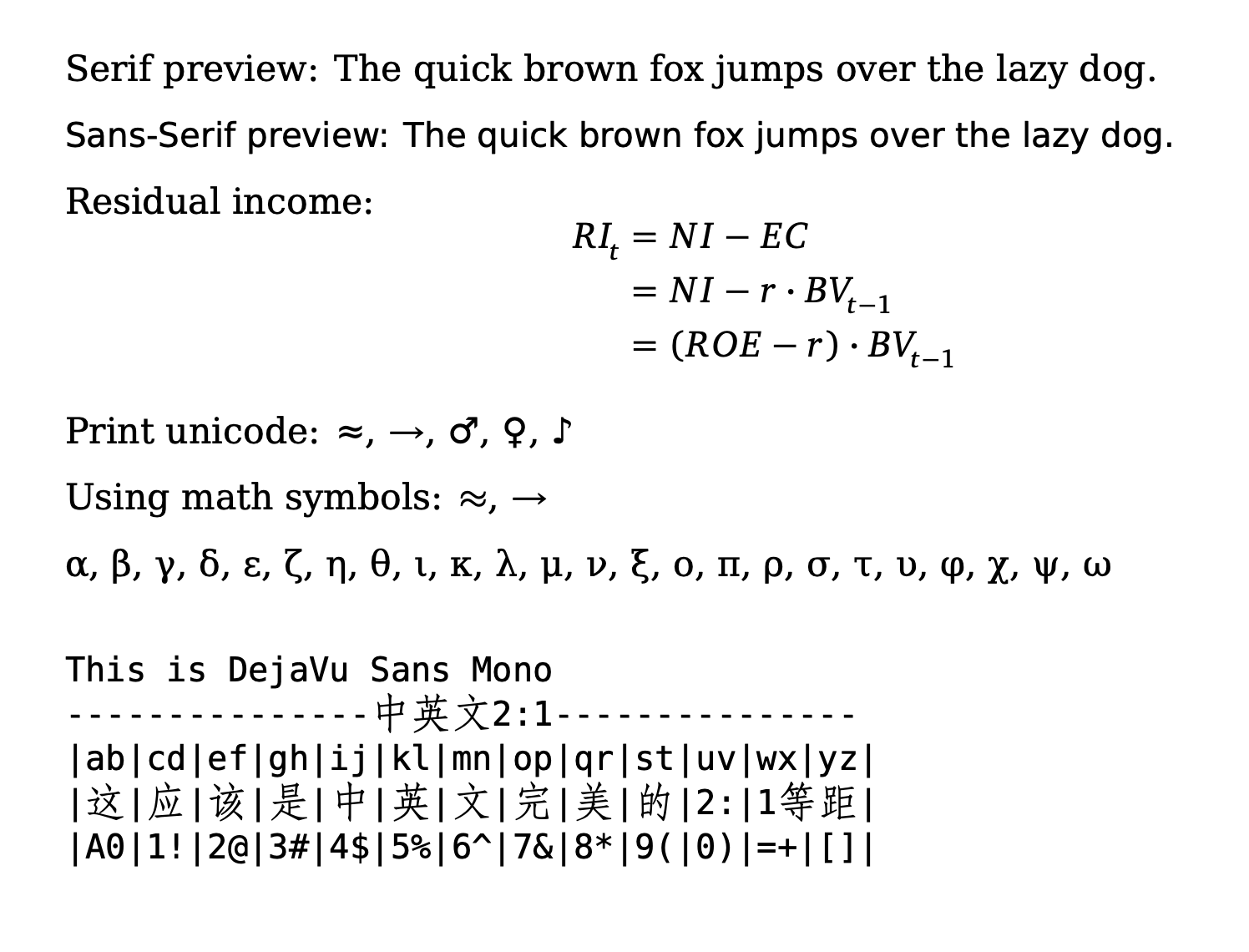
The easiest way is to use a mainfont that has good unicode support, such as “DejaVu”. It has a wide range of unicode characters, including emojis and math symbols. This avoids the need to manually define mappings for each character.
Note: Note DejaVu Sans Mono does NOT support CJK characters, so if you have Chinese characters in your document, they will fall back to the default font, or be rendered as empty boxes.
% Select fonts that actually contain your symbols
\setmainfont{DejaVu Serif}
\setsansfont{DejaVu Sans}
\setmonofont{DejaVu Sans Mono}

\begin{document}

Serif preview: The quick brown fox jumps over the lazy dog.

\textsf{Sans-Serif preview: The quick brown fox jumps over the lazy dog.}

Residual income:
$$
\begin{aligned}
RI_t &= NI - EC \\
&= NI - r \cdot BV_{t-1} \\
&= (ROE - r) \cdot BV_{t-1}
\end{aligned}
$$

Monospace preview:

```markdown
DejaVu Sans Mono
---------------中英文2:1---------------
|ab|cd|ef|gh|ij|kl|mn|op|qr|st|uv|wx|yz|
|这|应|该|是|中|英|文|完|美|的|2:|1等距|
|A0|1!|2@|3#|4$|5%|6^|7&|8*|9(|0)|=+|[]|
```
\end{document}
will show like this:
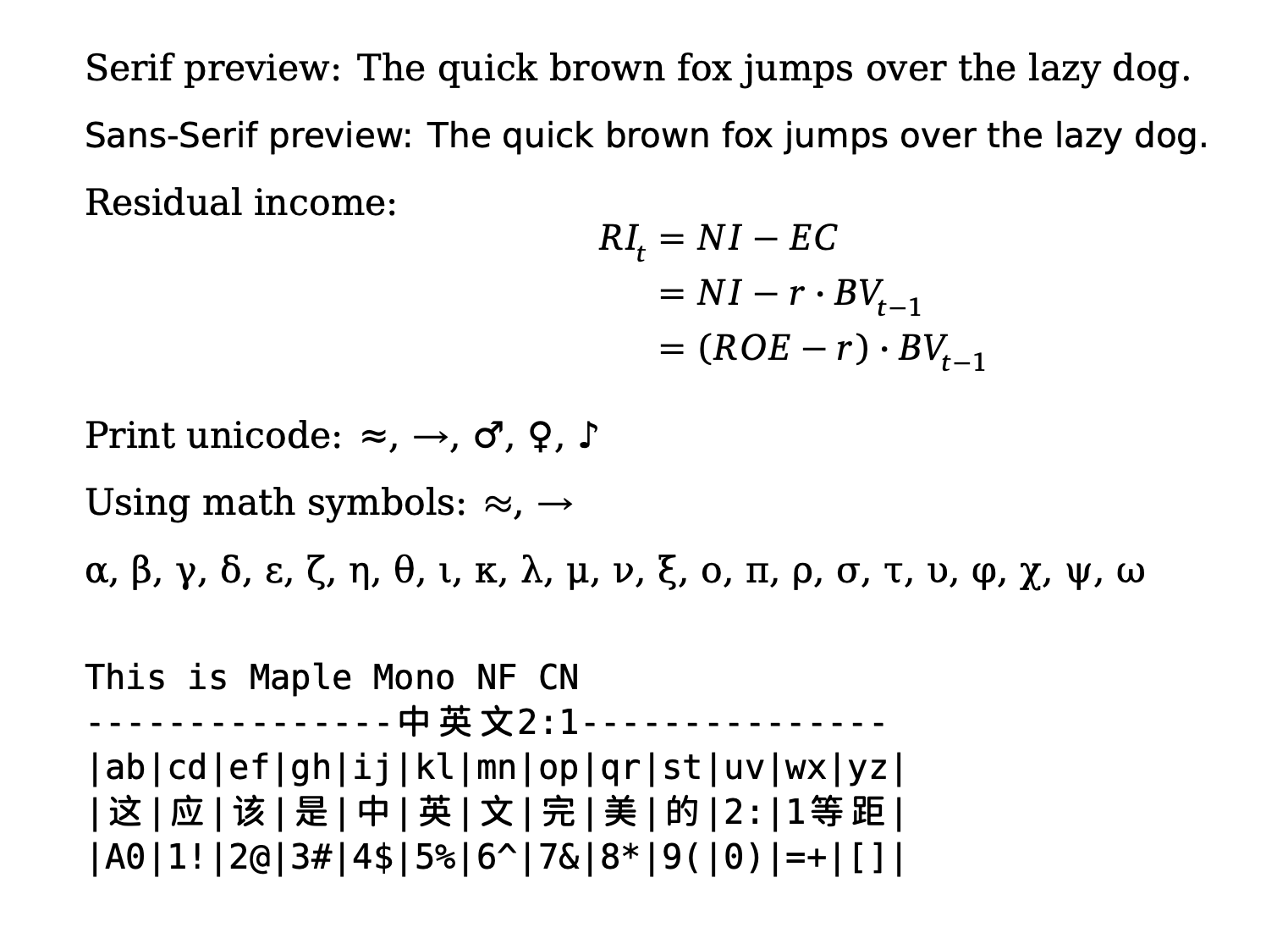
To fix CJK characters, use Maple Mono NF CN for CJK monofont.
\setmainfont{DejaVu Serif}
\setsansfont{DejaVu Sans}
\setmonofont{DejaVu Sans Mono}

% For CJK characters, use xeCJK package and set a CJK monospaced font
\usepackage{xeCJK}
\setCJKmonofont{Maple Mono NF CN}
will show like this:
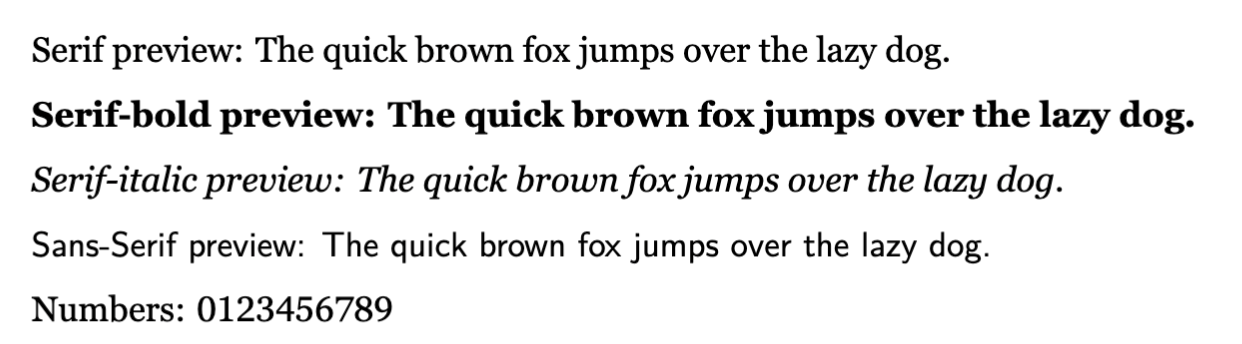
Georgia Pro
ref: