6.8 Cross References
Add labels
Two options:
Code cell: add option
label: prefix-LABEL→ 👍 most robustMarkdown: add attribute
#prefix-LABEL→ can fail,#can be tricky- Note that the prefix should be connected to the label with a hyphen
-. - Note that the hash sign
#is required.
- Note that the prefix should be connected to the label with a hyphen
Add references:
@prefix-LABEL, e.g.You can see in @fig-scatterplot, that...
| Element | ID | How to cite |
|---|---|---|
| Figure | #fig-xxx |
@fig-xxx |
| Table | #tbl-xxx |
@tbl-xxx |
| Equation | #eq-xxx |
@eq-xxx |
| Section | #sec-xxx |
@sec-xxx |
Note: Quarto support cross-references across documents in the same project.
Cross-reference to a figure:
```{r #fig-scatter, echo=FALSE, fig.cap="Scatter plots example", out.width="80%", fig.align="center", fig.pos="H"}
# scatter plot example
plot(1:10)
```
Note that you have to use code chunk headers to label the figure, i.e., #fig-scatter. Note that # is required.
The #| syntax does NOT work.
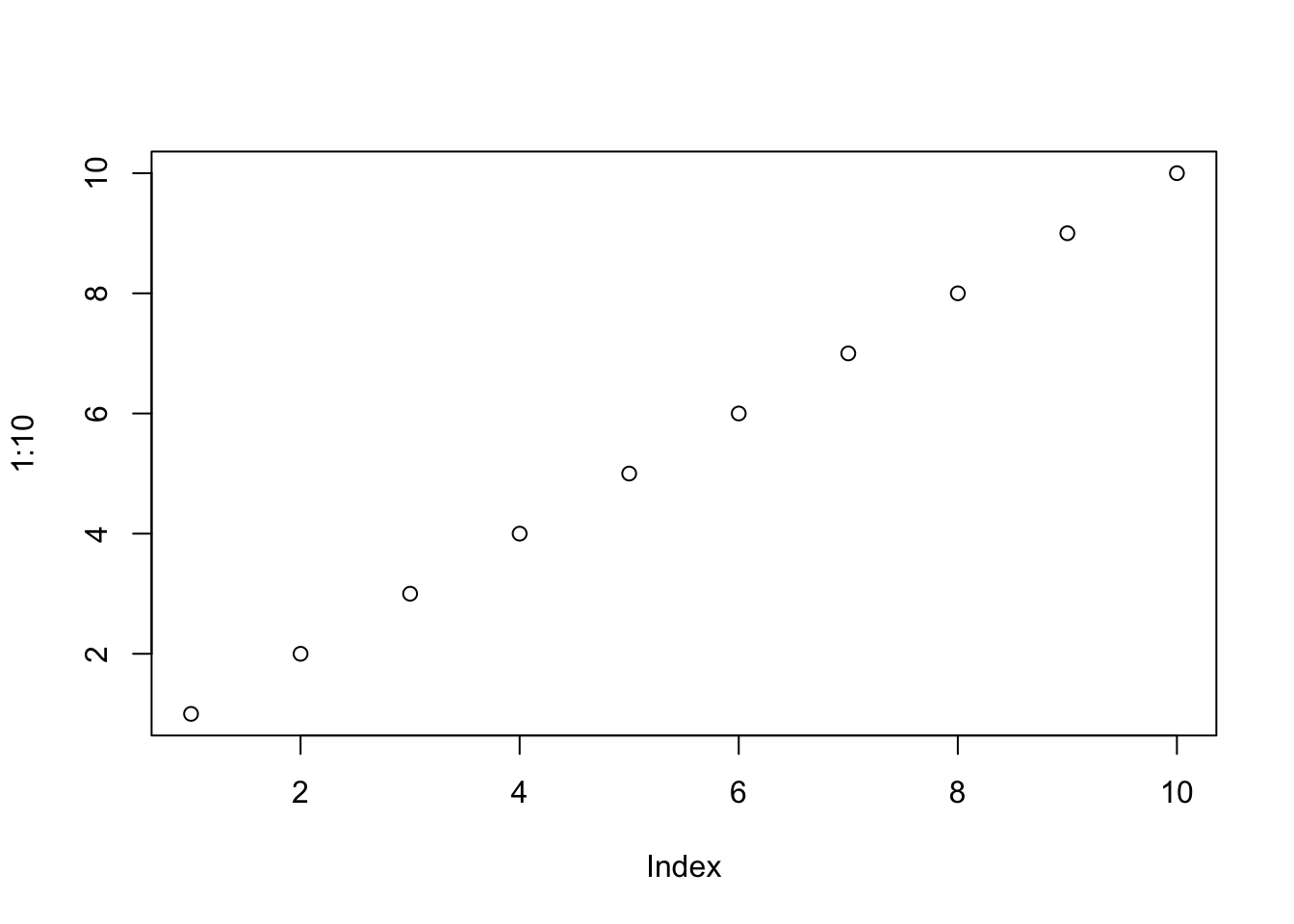
Figure 6.1: Scatter plots example
See Figure 6.1 (@fig-scatter) for the scatter plots.
You can customize the prefix of the reference (Figure x) using crossref/*-prefix options in YAML.
Table example
```{r}
#| label: tbl-summary-stat
#| tbl-cap: "Summary Statistics"
#| tbl-pos: H
summary_stats %>%
  knitr::kable(format="latex", booktabs=TRUE, linesep="") %>%  ← add kable options here, eg digits, booktabs, format, etc.
  kableExtra::kable_styling(latex_options = c("striped")) ← add kableExtra options here, eg striped, scale_down, repeat_header, etc.
```
@tbl-summary-stat shows the summary statistics
See HERE for more details about code chunk options.
For pdf output, Quarto supports LaTeX’s way of labeling and cross-referencing.
PDF output accepts raw LaTeX code, don’t need to put the table in a fenced div or code chunk with {=latex}. You can directly write LaTeX code in your qmd file to create tables and label them for cross-referencing.
For example, using \label{tbl-income-statement} to label a table and \ref{tbl-income-statement} or \autoref{tbl-balance-sheet} (with hyperref) to reference it.
Note that you don’t have to use tbl- prefix if you use LaTeX’s way of labeling and referencing.
You can either
label a table with
\label{income-statement}and reference it withTable \ref{income-statement}, orlabel a table with
\label{tab: income-statement}and reference it with\autoref{tab: income-statement}.What I like about
\autoref(fromhyperrefpackage) is that it will automatically add the prefix (e.g. Table) to the reference and the whole reference, not just the number, will be colored and hyperlinked.
You can also use Quarto’s way of referencing in pdf output, but you need to make sure to label the table with #tbl-xxx and reference it with @tbl-xxx.
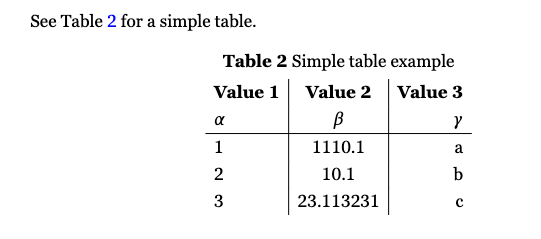
See @tbl-table-example for a simple table.

\begin{table}[h!]
\centering
\label{tbl-table-example}
\caption{Simple table example}
\begin{tabular}{l|c|r}
  \textbf{Value 1} & \textbf{Value 2} & \textbf{Value 3}\\
  $\alpha$ & $\beta$ & $\gamma$ \\
  \hline
  1 & 1110.1 & a\\
  2 & 10.1 & b\\
  3 & 23.113231 & c\\
\end{tabular}
\end{table}
will show like this:
More examples of table cross-referencing here.
Cross-references to Equations
@eq-cross_sectional_heterogivesEquation 1.With the
Equationprefix, but no parentheses around the label.Quarto Discussion: Add parentheses around equation numbers reference – Unresolved as of Jan 2026.
([-@eq-cross_sectional_hetero])gives only the tag(1), note that you need to add the parentheses yourself.An alternative way is to use
\eqref{eq-cross_sectional_hetero}fromamsmathpackage, which gives(1)with parentheses automatically. You need to add the prefix Eq. yourself. ↩︎
You can customize the appearance of inline references by either changing the syntax of the inline reference or by setting options.
Here are the various ways to compose a cross-reference and their resulting output:
| Type | Syntax | Output |
|---|---|---|
| Default | @fig-elephant |
Figure 1 |
| Capitalized | @Fig-elephant |
Figure 1 |
| Custom Prefix | [Fig @fig-elephant] |
Fig 1 |
| No Prefix | [-@fig-elephant] |
1 |
Note that the capitalized syntax makes no difference for the default output, but would indeed capitalize the first letter if the default prefix had been changed via an option to use lower case (e.g. “fig.”).
Change the prefix in inline reference using *-prefix options. You can also specify whether references should be hyper-linked using the ref-hyperlink option.
---
title: "My Document"
crossref:
  fig-prefix: figure   # (default is "Figure")
  tbl-prefix: table    # (default is "Table")
  ref-hyperlink: false # (default is true)
---